 ModBoo
Mod manager
Manage mods in the Mods panel opens the Mod manager full screen over the viewer. It does not leave the page, so the loaded model stays. Close it with Back to viewer or Esc.
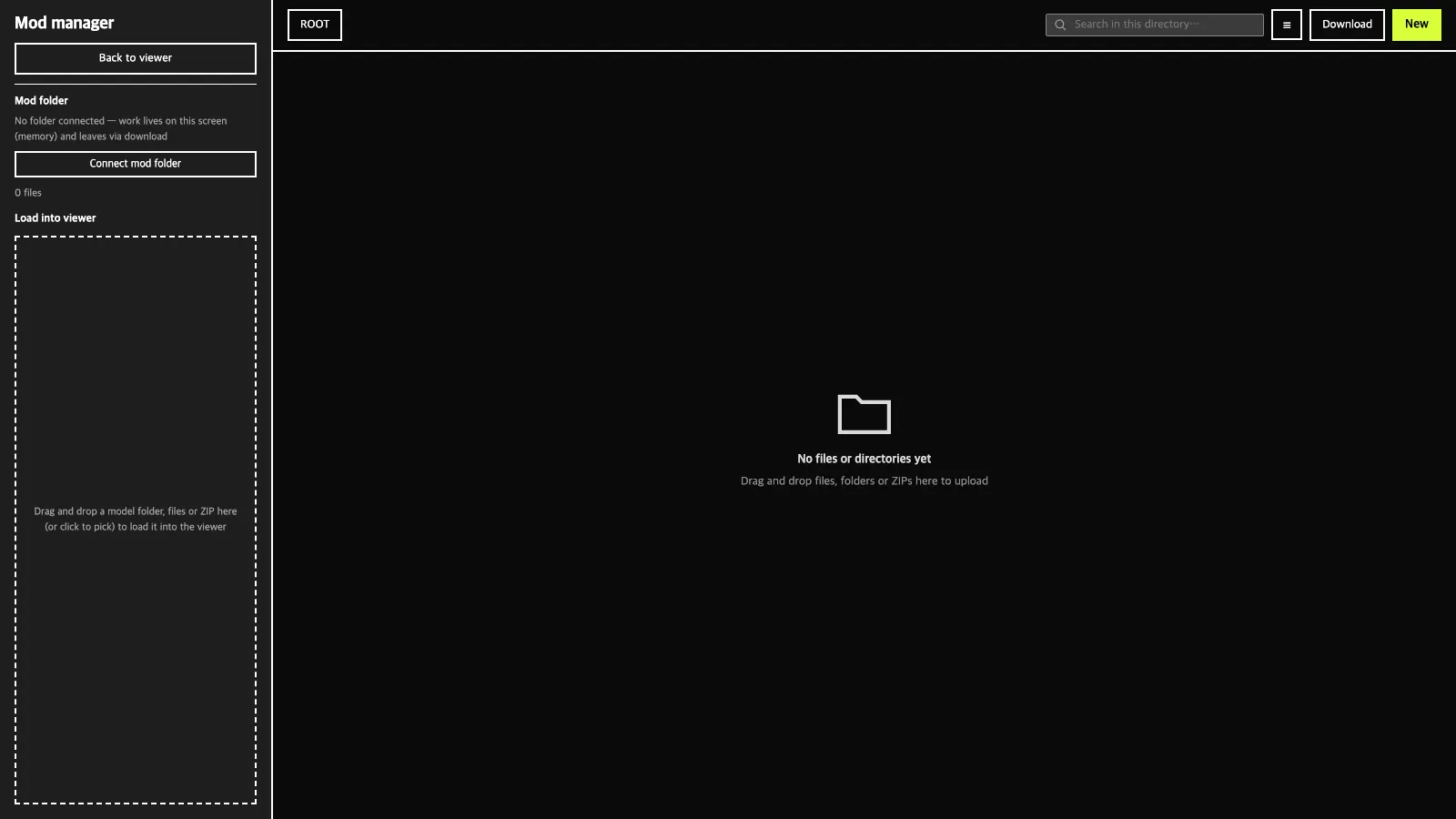
Left side: folder and loading
Mod folder:Connect mod folderlinks a folder on your computer. Next time the contents are read automatically if access is still granted; otherwiseGrant access againappears.Change folderandDisconnectare there too. Chrome and Edge only.Save to folder: writes what you arranged here into the connected folder. It only adds and overwrites; files deleted here are not deleted from the folder.- With no folder connected, your work lives only in this screen's memory, so take it out with
Download. Load into viewer: drop a model folder, files or ZIP on this box, or click to pick, and it is loaded into the actual viewer. Loaded folders stack below with progress, and × (Remove from viewer) removes them from the viewer. You can also drag a folder card from the list on the right into this box.
Right side: the explorer
- Breadcrumbs on top move to parent folders; the search box searches the current folder
- Switch between grid and list
New:New directory·Upload files / ZIP·Upload folder. You can also drop files, folders or ZIPs (ZIPs are unpacked automatically).Download: gets the selected file or folder (the current folder if nothing is selected). Folders come as ZIP.Delete: removes the selected item from this screen.- Drag a card onto another folder (or a breadcrumb button) to move it.
INFO
Removing a model or mod in the viewer also removes it from the Loaded list. Deleting here never changes the real connected folder.