 ModBoo
View and camera
Camera controls
You start in camera mode: drag to orbit, scroll to zoom, Shift+drag or right-drag to pan. Press T (or Model mode (T)) for model mode, where dragging on the model turns the model itself. The full table is in Shortcuts and controls.
View axes
The X, Y, Z marker at the top right. Click an axis to glide to that side (right, left, top, bottom, front, back); drag to orbit. Reset view in the tab bar returns to the front view.
View panel
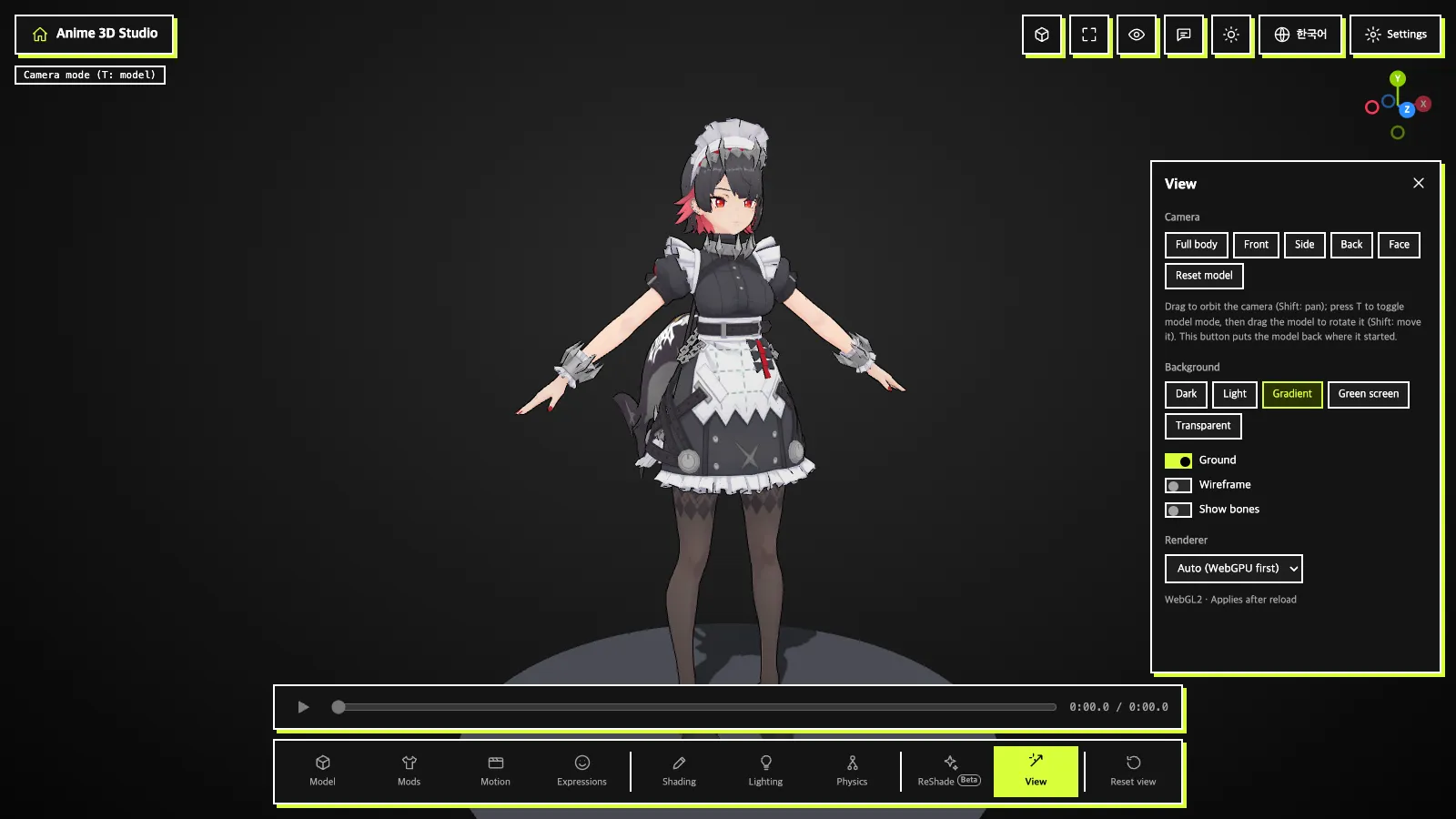
Camera:Full body·Front·Side·Back·Face, plusReset model(puts a model you moved back at its start)Background:Dark·Light·Gradient·Green screen·TransparentGround·Wireframe·Show bonesswitchesRenderer:Auto (WebGPU first)orWebGL2 only. Applies after reload.
Switching the theme (light/dark) also changes the 3D background, but only when it is Dark or Light. Any other background stays.
Lighting panel
Pick Studio, Outdoor, Evening or MMD default, and turn Shadows on or off.
Renderer
WebGPU is tried first and WebGL2 is used if it fails. Add ?renderer=webgl2 to the address to force WebGL2 for that session (not saved).
Toolbar buttons
Fullscreen: fullscreen on/offHide UI: hide all UIFeedback & questions: opens a window to send a question, bug or idea to the developerToggle theme: light/dark, spreading as a circle from the button- Language button: switches the screen language between 한국어 and English