 ModBoo
ReShade (post-processing)
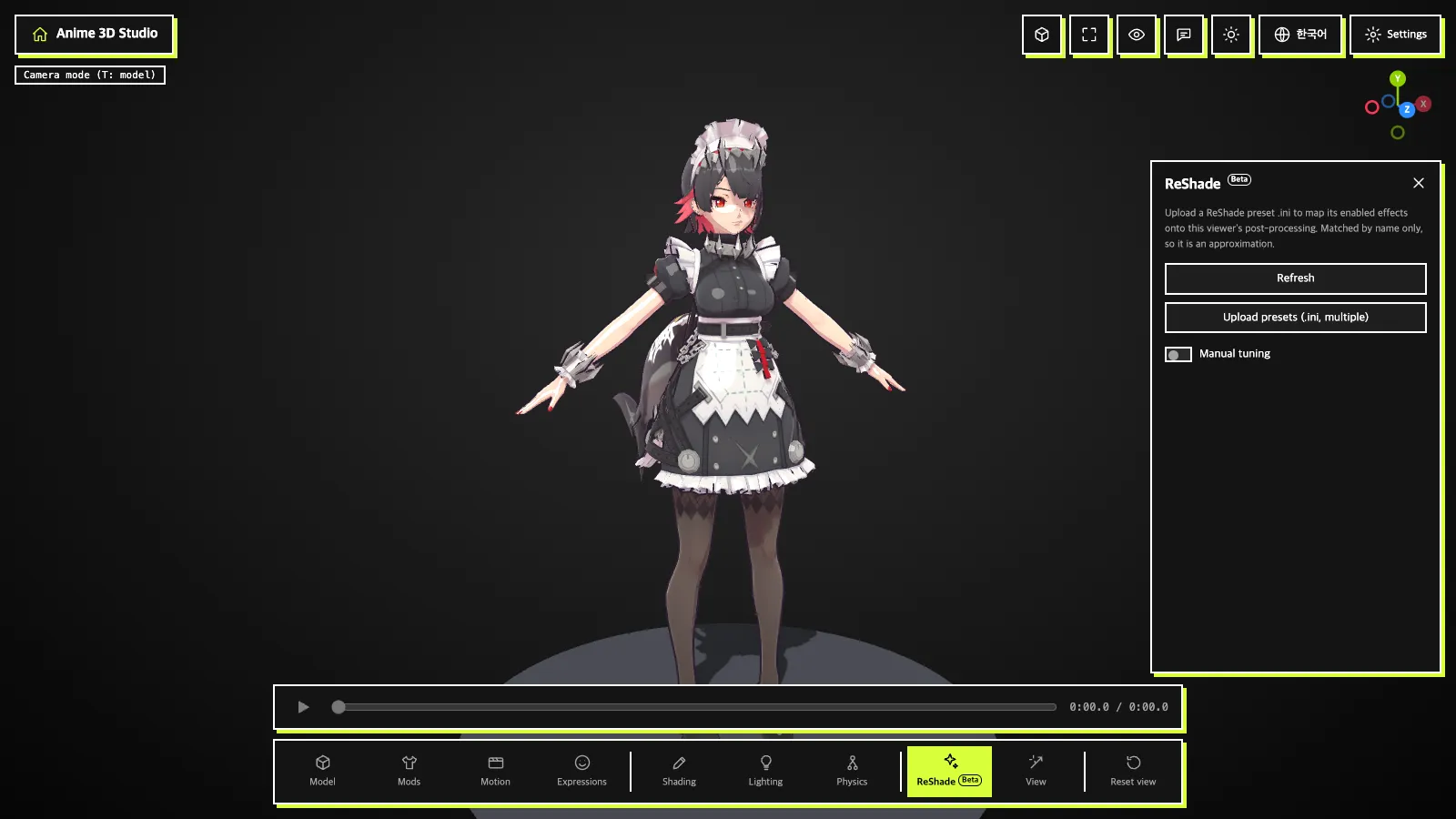
The ReShade tab (Beta) at the bottom handles post-processing applied to the whole picture.
Uploading presets (.ini)
Upload presets (.ini, multiple): upload a ReShade preset .ini and its enabled effects are mapped onto this viewer's post-processing. You can upload several.- Each preset gets an on/off switch and ✕ (remove preset), plus how many effects were applied and the names of those skipped.
Refresh: clears every uploaded preset and restores the initial state.
INFO
Effects are matched by name only, so the look is an approximation. Presets override manual tuning.
Manual tuning
Turn on Manual tuning to reveal the items. Only checked items apply.
- Switches: FXAA ·
Bloom·Sharpen·Ambient occlusion·Tone mapping (ACES) - Sliders:
Contrast·Saturation·Exposure·Tint amount(Tint hueappears when it is not 0) ·Vignette·Grain·Chromatic aberration·Depth of field - ↺ resets one value;
Reset post-processingresets everything.
Colors may shift on green or transparent backgrounds.