 ModBoo
Settings and saving
Open it with Settings at the top right.
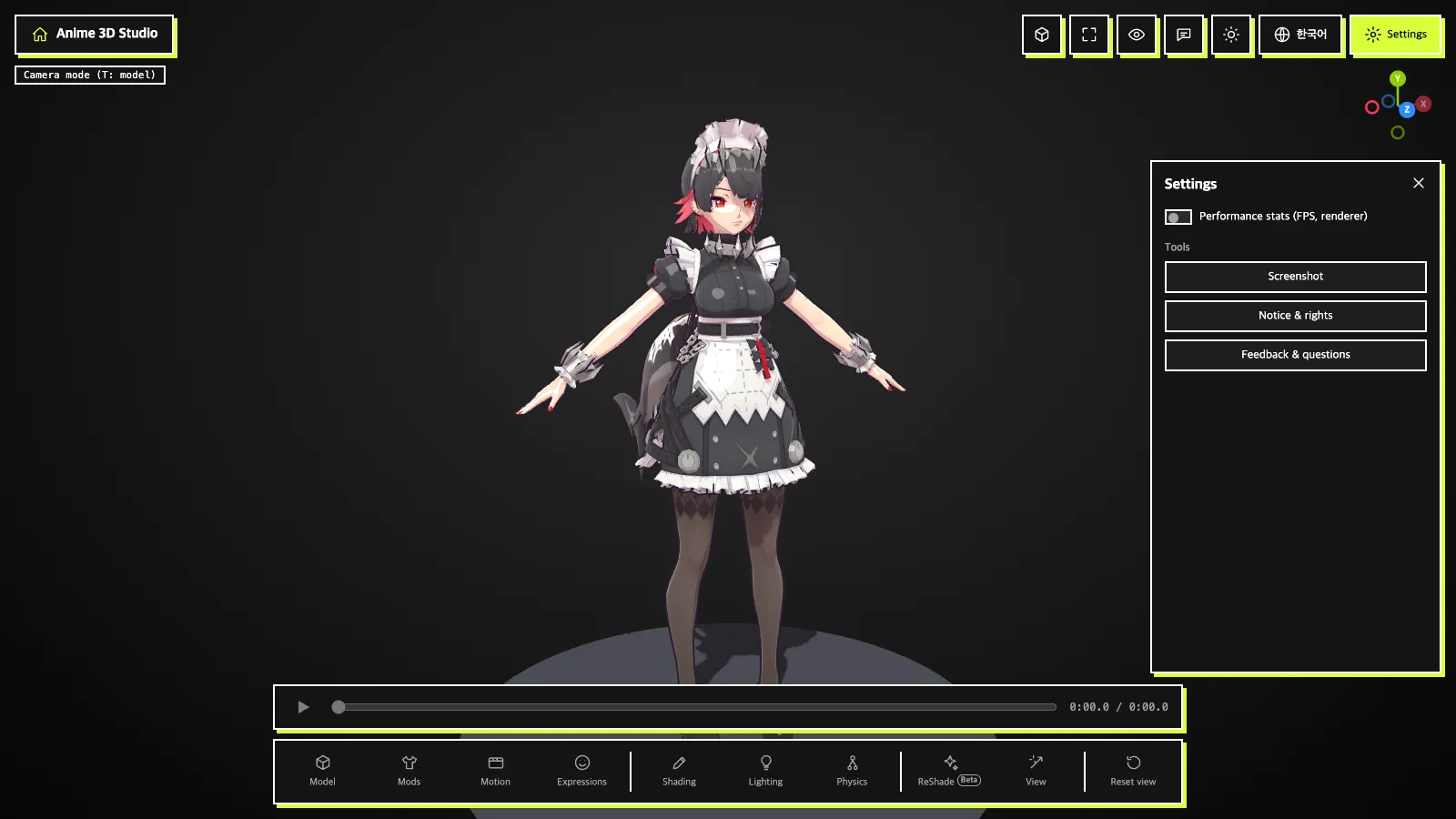
Performance stats (FPS, renderer): shows the renderer and fps at the top left when on.Tools→Screenshot: saves the current picture as PNG (a model must be open).Tools→Notice & rights: reopens the notice you saw on first run.
Sending feedback or a question
The speech-bubble button at the top right (Feedback & questions) opens the Send feedback or a question window. Pick a Type (Question, Bug, Idea or Other), write your Message, and press Send.
Contact for a reply (optional): fill it in only if you want a reply (optional).Attach images (optional, up to 3): attach up to 3 pictures, pasting works too (optional).Include language and browser info: when on, your screen language and browser info go along.
Model and mod files are never sent. Only what you write, the info you tick and any images you attach go to the developer, so check that images show no personal information.
Exporting
| What | Where | Format |
|---|---|---|
| Picture | Settings → Screenshot | PNG |
| Material values | Shading → Export materials JSON | JSON (usable in a mod's materialParams) |
| Expression presets | Expressions → Export JSON | JSON |
| Mod files | Manage mods → Download | File, or folder as ZIP |
What is kept in your browser
These stay only in this browser and never go to a server. Clearing browser data removes them.
- Screen settings (language, background, lighting, shader, physics and so on) and the theme
- Expression presets and Shading my presets
- XXMI game-texture and game-part pairings
- Connected model and mod folders (folder handles)
- Whether you accepted the notice
INFO
The model and mod files themselves are not stored. Load them again after a refresh.