 ModBoo
Screen layout
These sit on top of the 3D view. Every panel opens on the right; there is no left panel.
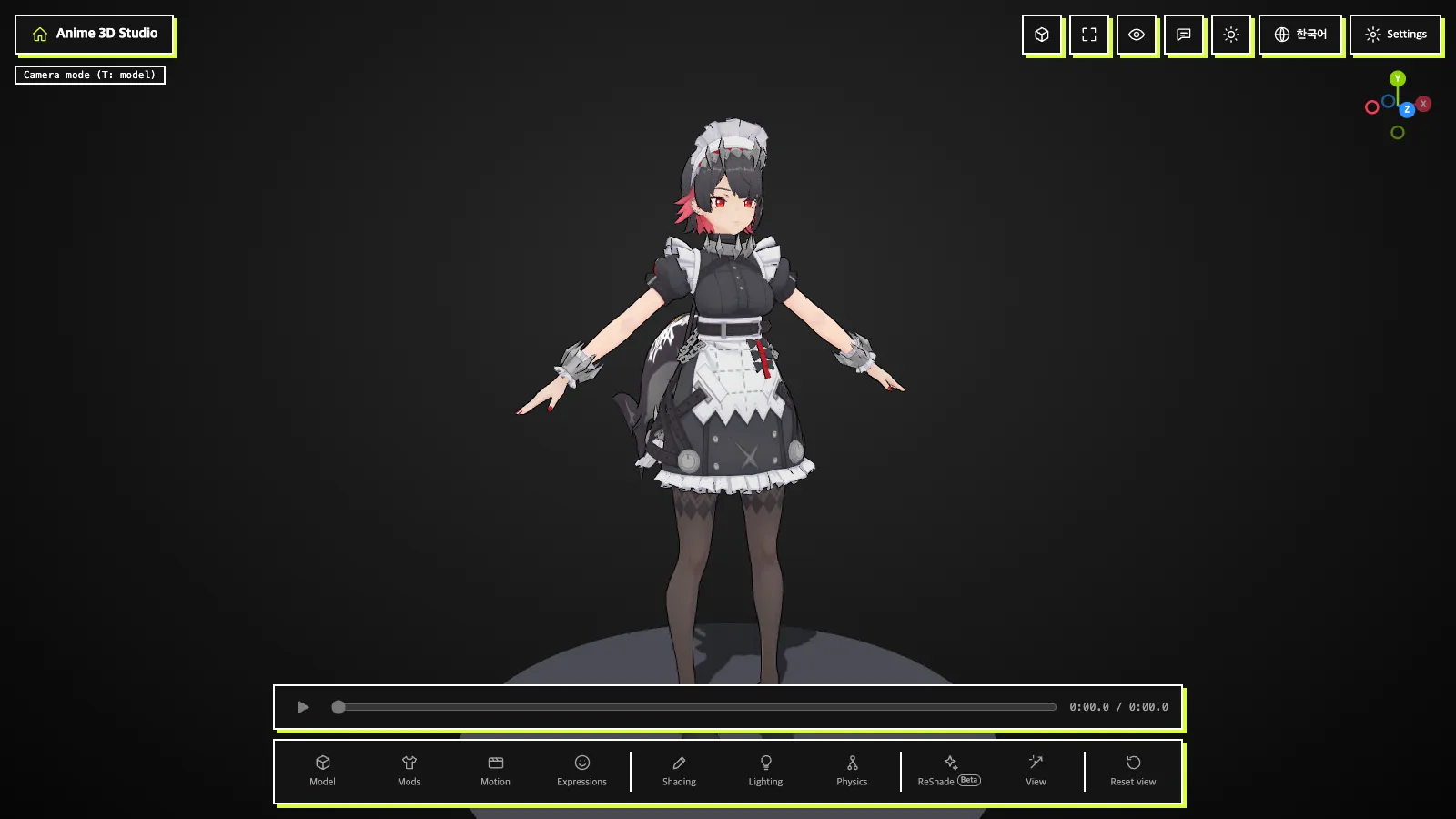
| Area | Where | What it does |
|---|---|---|
| Home box | Top left | Opens the intro and guide home in a new tab (About & guide home (new tab)) |
| Toolbar | Top right | Model mode (T) · Fullscreen · Hide UI · Feedback & questions · Toggle theme · language · Settings |
| View axes | Under the toolbar | Click to look from that side, drag to orbit the camera |
| Playback bar | Bottom | Play/pause, time bar, current time |
| Tab bar | Under the playback bar | Model · Mods · Motion · Expressions | Shading · Lighting · Physics | ReShade · View | Reset view |
| Right-hand panel | Right | A floating panel opened from a tab. Close it with the same tab or Esc |
| Model popup | Middle | The large window opened by the Model tab |
| Mod manager | Full screen | Opened with Manage mods in the Mods panel |
| Text at top left | Top left | Shows the current mode (Camera mode (T: model) / Model mode (T: camera)). Turn on Performance stats (FPS, renderer) to also see the renderer and fps |
Hide UI hides all UI and leaves only an eye icon (Show UI) in a corner. Handy for screenshots.
INFO
On very narrow screens (phones) panels open at full width and some toolbar icons are hidden.