 ModBoo
Shaders
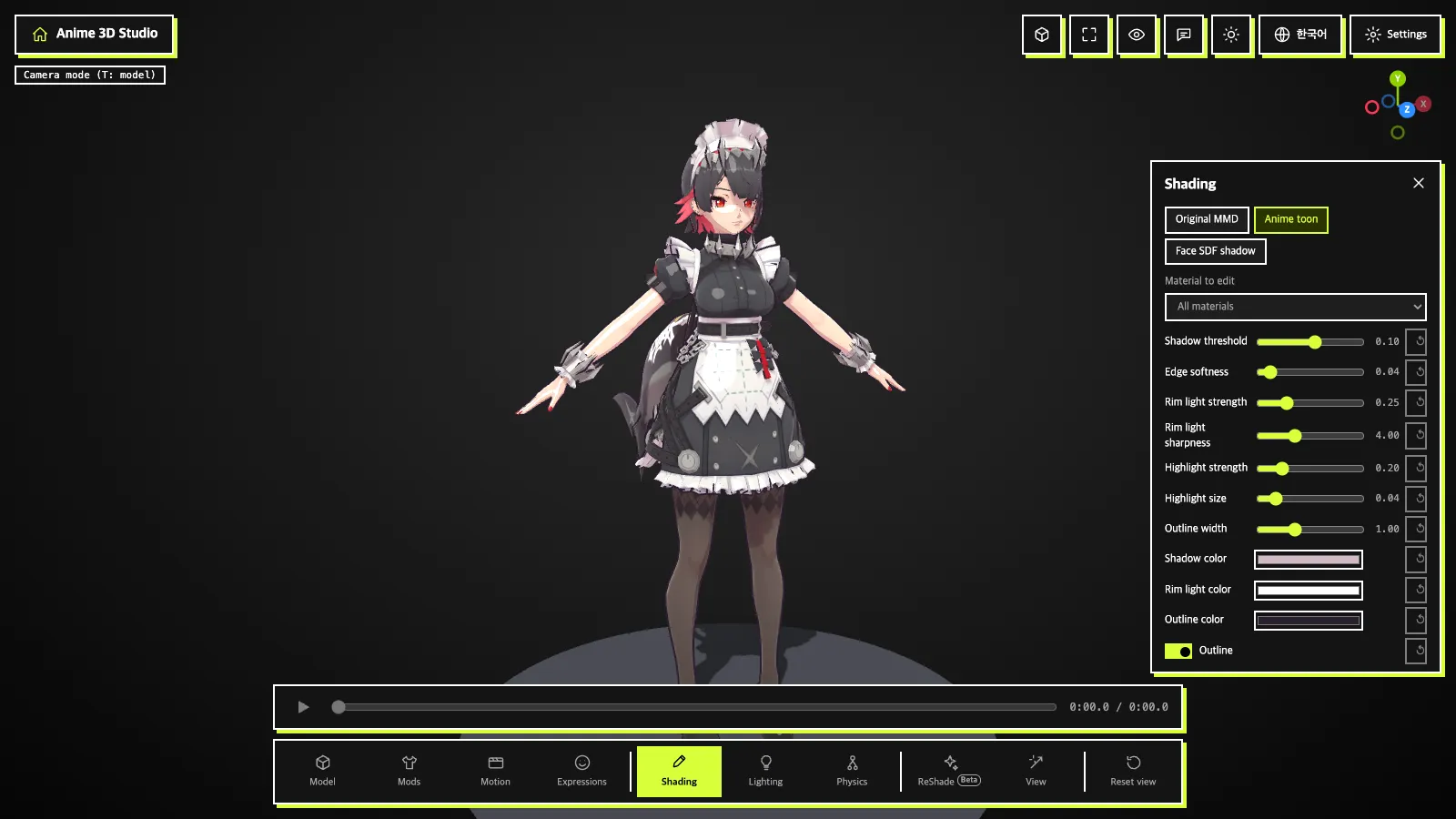
In the Shading tab (panel title Shading), choose one of the three chips at the top: Original MMD / Anime toon / Face SDF shadow. glTF models are not supported yet.
Anime toon
Pick one material, or All materials, in Material to edit and change the values.
| Item | Meaning |
|---|---|
Shadow threshold · Edge softness | Where the shadow edge falls and how soft it is |
Shadow color | Shadow color |
Rim light color · Rim light strength · Rim light sharpness | Color, strength and sharpness of the edge light |
Highlight strength · Highlight size | Strength and size of the shiny highlight |
Outline · Outline width · Outline color | Outline, its width and color |
- ↺ beside a value (Reset this value) resets one;
Resetresets all. Export materials JSON: saves the current values as JSON. The materials part of the file can be used as-is in a mod'smaterialParams.
My presets
Type a name and press Save (Enter works too) to store the values of the selected material; Apply restores them and Delete removes the preset.
Face SDF shadow
Draws face shadows from an SDF texture. The SDF texture comes from one of these:
Use built-in ZZZ face SDF: uses the built-in face SDF. ChooseFemaleorMale.Choose SDF image: pick your own image.Clearremoves it.SDF from model folder: images with sdf in the name found in the model folder are listed.
Pick the face in Face material and turn on Flip horizontally if the shadow runs the wrong way. Without an SDF or face material, plain toon is used and the app says "No SDF texture or face material, so plain toon is used".
Mod material values show in Anime toon and Face SDF. In Original MMD they do not, and a hint appears.